Internal audit of expense reports: test by population, line by line, with the receipt
An internal auditor does not test expense reports. They test populations of expenses: every "Miscellaneous" line, every meal above a threshold in a given country, every expense of a cost center over a quarter. Yet expense tools are built around the report, not the line. Here is how to flip that logic.
You are preparing your annual audit plan. Travel and entertainment expenses are on it again, as every year. The scope is clear and so is the method: define a population, draw a sample, examine each expense with its supporting receipt, document your conclusions.
On paper, nothing could be simpler. In practice, the first difficulty is not the test itself. It is getting to the line you want to test, with its receipt in front of you.
Why is auditing expense reports so laborious in SAP Concur?
Because SAP Concur is designed to process expense reports, not to audit populations of expenses. Two limits add up.
Reporting has the data, not the receipts. You can extract the list of the 340 meals above €75 for the fiscal year. But for each line, the receipt is somewhere else: you have to go back into the application, find the expense report, open it, then look for the right line.
The processing screen thinks in expense reports. Once inside a report, you see all of its lines: the taxi, the hotel, the parking, the meal. To move on to the next meal in your sample, you have to leave, search for another report, and start over. There is no way to chain the lines of a single population.
The result: a lot of time spent navigating instead of testing, samples smaller than you would like, and documentation rebuilt by hand in a spreadsheet, with screenshots attached. The different ways to extract receipts, and their limits, are compared in Export SAP Concur receipts: the 5 methods.
Reading expenses horizontally: the line as the unit of audit
Auditing by population means reading expenses horizontally rather than vertically. The expense report is a processing unit: the employee uses it to get reimbursed, the manager to approve, accounting to pay. For the auditor, it has no meaning of its own.
What matters is the expense line and its attributes: expense type, country, amount, cost center, employee, date, payment method. An audit population is a set of lines that share these attributes, whatever report they come from.
Breaking the expense report apart therefore means:
- extracting every line in scope, regardless of the reports that contain them;
- attaching to each line its own receipt;
- moving from one line to the next within the population, without ever reopening a report.
The auditor reads lines across expense reports
The expense tool reads in columns; the auditor reads in rows.
How do you audit expense reports line by line with Smart Extract?
Smart Extract for SAP Concur, the TEVASOFT module for auditing and exporting expense data, applies exactly this approach. It works alongside SAP Concur, without replacing it, in four steps.
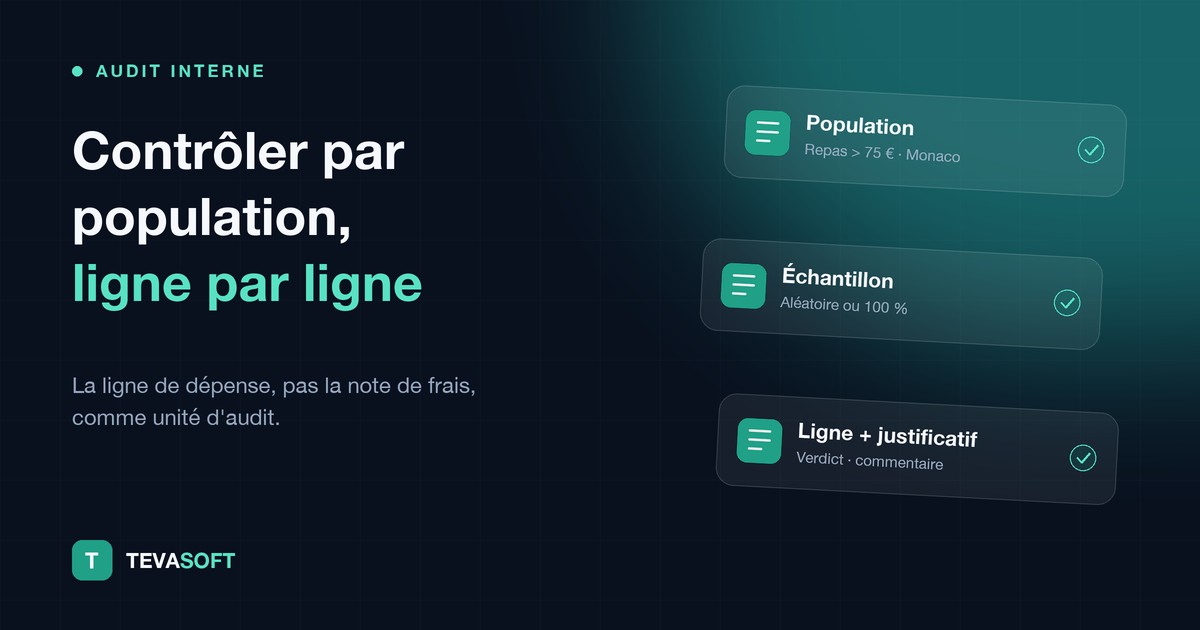
- Step 1: define the population. By expense type, country, amount, cost center or employee, combining criteria. You can also describe the scope in plain language, as you would to a colleague: "all meals in Monaco above €75 over the first half of the year".
- Step 2: draw a sample. You test the whole scope, or a random sample of the population.
- Step 3: test line by line. The data and the receipt appear side by side. One click and you move to the next line of the sample, without going back through the expense report.
- Step 4: document. For each line, you record a verdict and a comment. The audit trail is kept, and the file is exported with the receipts for your working papers.
You choose the population, the sample size and the verdict. The tool removes the navigation, not the auditor's judgment.
Which expense populations should you test first?
The most useful populations are the ones where risk concentrates and where preventive control is weakest. A few examples that internal audit teams commonly define:
| Population | What the auditor looks for |
|---|---|
| All "Miscellaneous" or "Other" expenses | Miscategorized expenses, or ones placed there to avoid a rule |
| Meals above a threshold, by country or city | Compliance with travel policy caps, presence of guests |
| Weekend or public holiday expenses | The business nature of the expense |
| Lines without a receipt or with a sworn statement | Frequency per employee, justification of the missing receipt |
| Entertainment expenses of a department or committee | Consistency between declared guests and amount |
| Mileage allowances of a cost center | Consistency of declared distances and trips |
| Expenses of a country at the time of a regulatory change | Compliance of receipts with new requirements, notably VAT |
Each population can then be refined by period, amount or employee, and saved to be replayed in the next campaign. To structure your testing program, rely on our expense report audit checklist.
Sampling or 100% control: do you have to choose?
No: post-payment sampling and exhaustive control before reimbursement meet two different needs, and they complement each other.
Sampling, with Smart Extract, remains the auditor's tool. The auditor defines the population, directs the tests according to their risk analysis, and concludes. It suits teams that want to make their current method more reliable, and one-off audits: an alert, an entity, an expense category.
100% control, with EVA, comes upstream: every expense report is checked automatically before reimbursement. What is compliant goes through, what is clearly non-compliant goes back to the employee, and the rest is routed to a controller. The principle is detailed in continuous expense auditing.
Both modules work on the same SAP Concur data. Many teams start with sampling, identify the anomalies that keep coming back, then automate those controls with EVA. Internal audit keeps Smart Extract to verify that the system works.
Frequently asked questions about internal audit of expense reports
What is expense report auditing by population?
It is a testing method that selects a set of expense lines sharing common attributes (type, country, amount, cost center) and examines them one by one with their receipt, regardless of the expense report that contains them.
How do you draw a random sample of expense reports in SAP Concur?
SAP Concur does not natively offer sampling by expense line with the associated receipt. Smart Extract for SAP Concur lets you define a population on Concur data, then draw a random sample to test.
Can you see the receipt of an expense line without opening the expense report?
Yes, with Smart Extract. The data and the receipt appear side by side, and the auditor moves from one line of the population to the next in one click.
How do you document a post-payment control of expense reports?
Smart Extract records a verdict and a comment for each line tested, keeps the audit trail and exports the file with the receipts, in Excel, CSV or PDF format.
Does Smart Extract replace SAP Concur?
No. Smart Extract works alongside SAP Concur, on its data, without changing the existing expense process.
In summary
Internal audit of expense reports becomes more efficient as soon as you change the unit: the expense line, not the expense report. Define a population, draw a sample, test each line with its receipt, document: the method does not change, only the time lost navigating disappears.
Want to try your own populations on a realistic data set? Request a Smart Extract audit demo.
About TEVASOFT. TEVASOFT equips finance teams that use SAP Concur. Its modules cover expense report control (EVA), audit and export of data and receipts (Smart Extract), VAT recovery (MULTI TVA) and e-invoicing (CONNECT).